


There are two types of AI social media tools in 2026.
The first type promises to automate everything, shows you a slick demo, and falls apart the moment you try to use it for your actual brand. The second type does what it says for a specific use case, works reliably within those limits, and is genuinely worth the money for the right person.
Predis.ai falls into the second category with some important caveats.
This review covers what Predis.ai actually does, what it consistently does well according to over 200 verified user reviews across G2, Capterra, Trustpilot and GetApp, where it falls short and why, the real pricing story (which is more complicated than the website makes it look), and most importantly who this tool is genuinely built for and who will be disappointed by it.
No sponsored angle. No affiliate relationship with Predis.ai. This is an independent analysis of a tool that marketers are searching for honest information about.
Quick verdict if you are short on time: Predis.ai is a genuinely useful tool for solo creators and small teams who need consistent, volume-based social media content for Instagram and LinkedIn. It is not the right tool for anyone whose primary need is video content, sophisticated brand voice matching, or performance marketing with analytics that connect to business outcomes. More on all of this below.
What Is Predis.ai and Who Built It?
Predis.ai is an AI-powered social media content creation and scheduling platform founded in 2019 by a team based in Ahmednagar, Maharashtra, India. The founding team identified a specific problem small businesses and solo marketers were spending disproportionate time on social media content creation without the resources to hire agencies or dedicated social media managers.
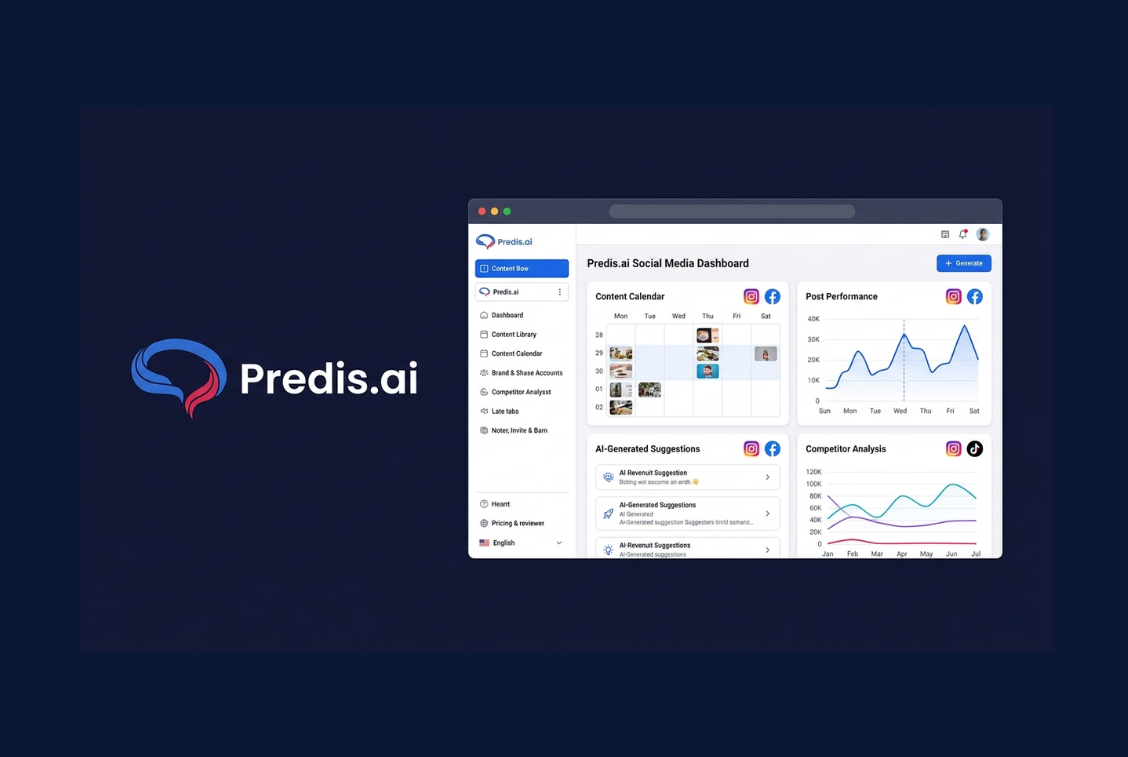
The core product is built around a simple workflow. You input a text prompt, a product URL, or your brand details. Predis generates multiple content variations single image posts, carousels, short-form video clips, captions with hashtag suggestions — and gives you a scheduling calendar to plan and publish across platforms from one dashboard.
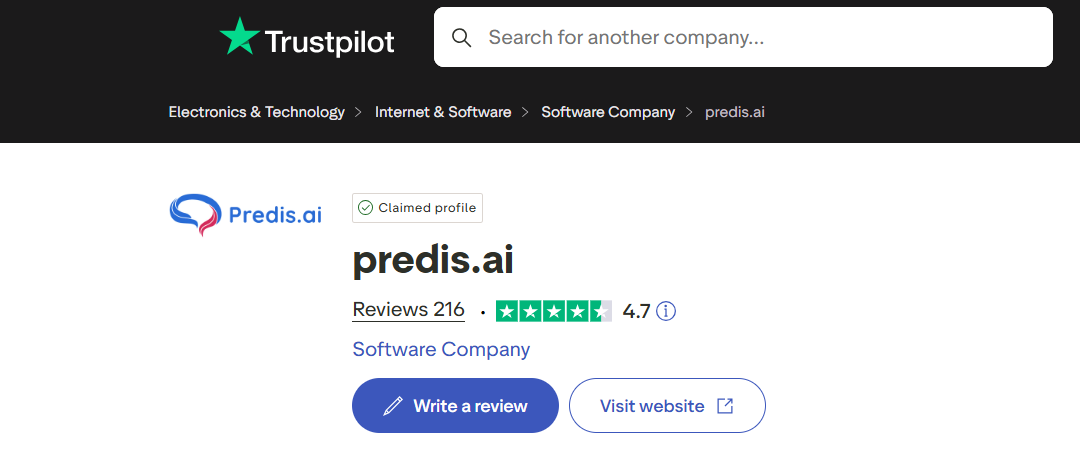
As of April 2026, Predis.ai supports posting to Instagram, Facebook, TikTok, LinkedIn, YouTube, Pinterest, and Twitter and X. The platform has a Trustpilot rating of 3.8 out of 5, a G2 rating that reflects generally positive sentiment on ease of use, and Capterra reviews that are mixed positive on features and speed, critical on bugs and occasional publishing failures.
Understanding what Predis is solving for is the most important context for evaluating it. It is not a replacement for a creative director or a brand strategist. It is a first-draft machine that eliminates the blank page problem for social media content and adds scheduling automation. The question is whether that specific value is worth the price for your situation.
How Predis.ai Actually Works: The Honest Workflow
Most review articles describe features in a vacuum. Here is what the actual workflow looks like from setup to published post.
Setup and Brand Configuration
Getting started takes about 15 to 20 minutes. You create a brand profile by uploading your logo, inputting your brand colours, selecting a tone of voice from preset options, and writing a brief description of your business. Predis uses this information to filter all generated content through your brand guidelines.
This is importantly different from how Holo AI does brand learning Predis uses a manual profile you describe, while Holo scans your website automatically. The practical implication: Predis’s brand voice accuracy depends heavily on how precisely you can describe your brand in a text field. Users who describe their brand clearly get consistently on-brand outputs. Users who write generic descriptions get generic outputs.
You also connect your social media accounts during setup, which enables the scheduling and auto-publishing features. The connection process uses Meta’s official API for Instagram and Facebook, which means it is properly authorised and significantly less likely to cause account issues than third-party tools that bypass the API.
Content Generation
The generation workflow is where Predis earns its strongest reviews. You type a topic, drop in a product URL, or describe a campaign idea. Within 30 to 60 seconds, Predis returns multiple post variations with generated visuals, captions, and hashtag suggestions.
The visual quality for static image posts and carousels is generally described as professional-looking by reviewers better than what most non-designers can produce manually, and significantly faster. One Capterra reviewer described it as “getting title, caption, images everything, just from a phrase,” comparing it favourably to previous tools that required multi-step workflows.
The generation quality varies by content type:
- Static image posts: Strongest output. Most reviewers report 70 to 80 percent of outputs are usable with minor editing.
- Carousels: Strong. The multi-slide format works well and saves significant time compared to building carousels manually in Canva.
- Video and Reels: The weakest category. Multiple independent reviews in 2026 rate video output quality at 6 out of 10, noting it works for basic content but fails for anything requiring specific product footage, UGC-style content, or sophisticated editing.
The Scheduling Calendar
The drag-and-drop content calendar is consistently one of the most praised features in user reviews. 97 percent of Predis users who specifically reviewed the scheduling feature rated it as important or highly important to their workflow. The ability to plan three to four weeks of content in one sitting, schedule it across multiple platforms, and have it publish automatically removes a significant daily friction from most social media workflows.
Auto-posting content going live without manual confirmation is available on the Rise plan and above. Users on the Core plan can schedule but still need to manually trigger publishing, which reduces the automation value for basic plan subscribers.
Predis.ai Pricing: The Full Picture
This is where most reviews fail to give you the complete story. Predis.ai’s pricing is more complex than the headline numbers suggest, and understanding it properly matters significantly to whether the tool is cost-effective for your use case.
The Credit System Explained
Predis operates on a credit-based model where each piece of AI-generated content consumes credits. The specific credit cost varies by content type:
- Single image posts: 10 to 20 credits each
- Carousels: More credits per piece, exact amount varies by slide count
- Video and Reel content: 50 to 200 credits per piece — the most expensive by far
This credit structure creates a real cost implication that many users discover only after subscribing. Someone generating primarily video content will exhaust credits dramatically faster than someone generating only static posts and carousels.
Current Plan Structure (April 2026)
Free trial: Available without credit card. Limited in features. All outputs include Predis watermarks.
Core plan: Approximately $19 to $27 per month depending on billing cycle. Around 1,300 credits. One social account on most configurations. Basic analytics. Manual posting trigger required auto-posting not included.
- Starter plan: Approximately $39 per month. 100 AI-generated pieces plus scheduling across one account. Basic analytics.
- Professional plan: Approximately $79 per month. 300 generated pieces, 3 social accounts, more advanced features.
- Business plan: Approximately $159 per month. 700 generated pieces, 10 social accounts, full feature access.
- Enterprise: $211.95 per month. Unlimited brands. Designed for agencies.
The Credit Trap
At $39 per month on the Starter plan, 100 credits sounds like reasonable volume. It is until you factor in video content. If you generate a mix of posts, carousels, and short videos, 100 credits can disappear in a week of active content creation. Users who hit their limit mid-month face a choice between waiting until the next billing cycle or purchasing additional credits at $29 per month for 1,200 additional credits.
Multiple independent reviewers flag this as a frustration. One Capterra reviewer summarized it bluntly: “The AI does not always work well. It has several bugs and the support is quite delayed.” Another specifically noted the credit model as feeling “clumsy” when their usage scaled.
The practical advice: before subscribing, estimate your monthly content volume by content type. If you plan to generate primarily video content, the credit costs make Predis significantly more expensive at scale than flat-fee alternatives. If you generate primarily static posts and carousels, the credit model is unlikely to become a real constraint.
Annual vs Monthly Billing
Annual billing saves approximately 15 to 20 percent compared to monthly. Given the credit limitations, it is generally worth trialling the free tier thoroughly before committing to annual billing, specifically to verify that your typical content types do not consume credits faster than expected.
| Plan | Monthly Price | Credits/Pieces | Accounts | Auto-Post |
|---|---|---|---|---|
| Free Trial | Free | Limited | 1 | No |
| Core | $19–$27 | ~1,300 credits | 1 | No |
| Starter | $39 | 100 pieces | 1 | No |
| Professional | $79 | 300 pieces | 3 | Yes |
| Business | $159 | 700 pieces | 10 | Yes |
What Real Users Are Saying Patterns From 200 Plus Reviews
Rather than cherry-picking individual quotes, here is what the aggregate of verified 2026 reviews across major platforms actually shows.
What Users Consistently Praise
Speed from prompt to publishable content. The most repeated positive across all platforms is that Predis dramatically reduces the time from content idea to ready-to-use post. “From zero to usable in three minutes” appears in multiple forms across many reviews. This is the core value proposition and it is consistently validated.
- The scheduling calendar. As mentioned, 97 percent of reviewers who addressed scheduling rated it positively. The drag-and-drop interface and visual calendar are praised across virtually all reviews.
- The competitor analysis feature when it works. For users who specifically use this feature, the data it provides is described as uniquely valuable and not available at this price point elsewhere.
- Ease of use. The learning curve is described as minimal by most reviewers. Getting to a publishable piece of content within a few hours of first use is a consistent experience.
What Users Consistently Criticise
Video quality and limitations. This is the single most common criticism. Multiple 2026 reviews specifically note that video output quality lags behind static content, is unsuitable for UGC-style ads or sophisticated campaign creative, and does not justify the high credit consumption.
Bugs and occasional unreliability. Publishing failures, competitor analysis returning no data, AI outputs that do not match the brief, and occasional crashes during content creation appear across enough reviews to be treated as known limitations rather than isolated incidents.
Brand voice customisation depth. Several reviewers specifically note that despite setting up brand profiles, outputs sometimes feel template-like and require more manual editing than expected to feel authentically on-brand. One Capterra reviewer wrote: “The customization options for content suggestions could be more flexible to better match unique branding needs.”
Support response time. Multiple reviews mention delays in support responses, particularly around billing questions and refund requests. There is no live chat. Email-based support is the primary channel.
Pricing relative to value. Several reviewers specifically question whether the credit-based pricing model represents fair value compared to flat-fee alternatives, particularly for high-volume users.
Predis.ai vs The Main Alternatives
Rather than a generic comparison, here is how Predis stacks up against the tools it is most commonly compared to for specific use cases.
Predis.ai vs Holo AI
This is the most common comparison for small business owners and solo marketers deciding between the two.
- Predis.ai wins on: scheduling built in, video content availability (even if limited), free trial access, competitor analysis feature, mobile app availability.
- Holo AI wins on: brand voice accuracy (Brand DNA learns from your website automatically), unlimited generation at a flat monthly fee, Trustpilot rating (4.4 vs 3.8), no credit limits.
The fundamental difference is what you are optimising for. If brand voice accuracy matters most and you generate high content volume, Holo AI’s unlimited flat fee is better value. If you need scheduling and creation in one place and want to test before paying anything, Predis.ai’s free trial removes the financial risk from evaluation.
We published a detailed head-to-head comparison of both tools covering every feature category. If you are deciding between the two, read that first.
Predis.ai vs Buffer
Buffer is primarily a scheduling tool with AI-assisted caption suggestions. It is not a content creation tool in the same sense as Predis.
- Predis.ai wins for: users who need content creation plus scheduling in one place.
- Buffer wins for: users who already have their content and just need reliable, simple scheduling with excellent platform support.
Who Should Use Predis.ai
Based on verified user data, the profiles that get the strongest value from Predis.ai are consistent across reviews.
The Right Fit for Predis.ai
Solo founders and small business owners who need to maintain consistent social media presence without a social media manager. The core value fast, good-enough content at volume is exactly what this group needs. The fact that you can go from zero to a month of scheduled posts in one two-hour session is the feature that genuinely changes their workflow.
Marketers managing one or two platforms who want creation and scheduling in one dashboard. The all-in-one workflow eliminates tool switching between content creation, design, and scheduling.
Anyone who wants to test before spending money. The free trial with no credit card required means the evaluation risk is genuinely zero. This is one of Predis.ai’s clearest competitive advantages over tools like Holo AI which require upfront commitment.
Content teams who need templated, on-brand first drafts quickly. Even if the final output requires editing, Predis dramatically reduces the time to first draft. As one reviewer put it: “Tweaking beats starting from scratch.”
Who Should Look Elsewhere
Creators and brands whose primary content type is short-form video. The credit consumption for video is high, the output quality is rated below competitors, and the investment does not deliver proportional value compared to video-native tools.
Businesses where brand voice consistency is a non-negotiable quality bar. If your content absolutely must sound like your brand rather than a professional generic template, Predis’s manual brand profile approach will require more editing than you want to do. Holo AI’s automatic brand learning produces more consistently on-brand outputs for this requirement.
High-volume publishers who will hit credit limits regularly. If you are posting daily across multiple platforms and generating significant video content, the credit model will become expensive quickly. A flat-fee alternative is better value.
Marketers needing deep performance analytics that connect content to business outcomes. Predis’s analytics are basic engagement metrics and scheduling data. There is no conversion tracking, no content-to-revenue attribution, and no sophisticated reporting.
The Honest Verdict: Is Predis.ai Worth It in 2026?
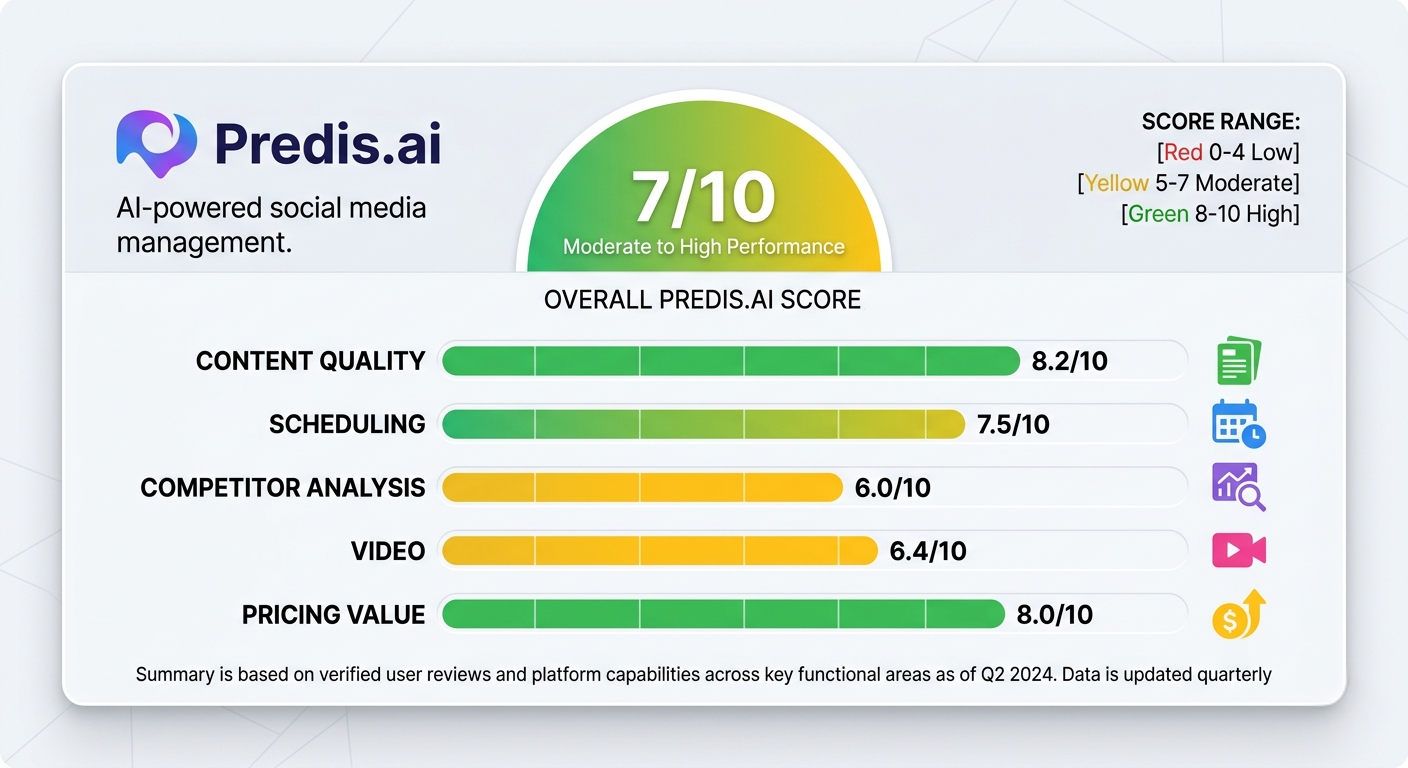
Overall rating: 7 out of 10
Predis.ai does what it says. For its target audience solo creators, small businesses, and lean marketing teams who need consistent, professional-looking social media content at volume it delivers genuine value. The speed from prompt to publishable post is real. The scheduling calendar works. The competitor analysis, when it functions correctly, is uniquely useful at this price point.
The limitations are also real. Video output quality falls short for brands where video is the primary channel. The credit-based pricing model becomes expensive as volume scales. Brand voice customisation is shallower than alternatives that use automatic learning. Bugs appear frequently enough in verified reviews to be considered a product characteristic rather than an anomaly.
At $39 per month for the Starter plan, Predis.ai is worth trying for any small business or creator who is currently spending more than three to four hours per week on social media content creation. The free trial removes the financial risk from testing. Use the trial to specifically test the content types you generate most frequently if those outputs require minimal editing and the scheduling workflow fits how you work, the paid plan will very likely pay back its cost in time saved.
If your primary use case is video, or if brand voice accuracy at the level of automatic learning is what you need, look at Holo AI and video-native tools instead.
How to Get the Most Out of Predis.ai If You Decide to Try It
Week One Test Before You Commit
Use the free trial period to generate the specific content types you actually need. Do not spend the trial on simple single-image posts if you plan to generate carousels and video content. Test video content specifically in week one to evaluate credit consumption and output quality for your brand before paying.
Brand Profile Setup
The quality of your brand profile directly determines the consistency of outputs. Invest 30 minutes in the initial setup. Write a specific brand voice description — not “professional and friendly” but something like “direct, no-jargon, encourages action, speaks to marketers at the beginner to intermediate level.” The more specific the description, the more consistently on-brand the outputs will be.
Using the Competitor Analysis Feature
Run competitor analysis on your top three to five competitors during your first week. Even with the bugginess, the data when it loads is genuinely useful for understanding what content themes perform in your niche and identifying gaps in competitor content. Do not rely on a single scan run each competitor multiple times and cross-reference the results.
Batch Content Creation
The most efficient way to use Predis is batch creation. Block two to three hours once per week or once per month, generate all your content in one session, review and lightly edit, then schedule everything. Using it reactively generating one or two posts at a time when you need them does not leverage the scheduling calendar’s value and makes the tool feel more like a content widget than a workflow system.
FAQs
Q: Is Predis.ai worth it in 2026?
A: For solo creators and small businesses who need consistent social media content at volume, yes. Predis.ai cuts post creation time by 60 to 70 percent for static posts and carousels, and the scheduling calendar is highly rated. It is not worth it if video is your primary content type or if you need sophisticated brand voice matching, as those specific use cases are handled better by alternatives.
Q: How much does Predis.ai cost in 2026?
A: Predis.ai uses a credit-based pricing model starting at approximately $19 to $39 per month for entry-level plans. The Starter plan at $39 includes 100 AI-generated pieces. Higher plans cost $79 for 300 pieces and $159 for 700 pieces. A free trial is available without a credit card. Video content consumes significantly more credits than static posts, making high-video users more expensive to serve on this model.
Q: What is Predis.ai best used for?
A: Predis.ai is best for generating static social media posts, carousels, captions, and hashtags at volume, combined with scheduling across Instagram, Facebook, LinkedIn, and other platforms from one dashboard. Its competitor analysis feature is also uniquely useful for understanding what content performs in your niche. It is not best for video-first content strategies or for brands requiring very precise brand voice consistency.
Q: Does Predis.ai have a free plan?
A: Predis.ai offers a free trial without requiring a credit card. Free outputs include Predis watermarks. There is no permanent free plan with unlimited usage — the free tier is a trial that requires upgrading to a paid plan to continue using the tool without watermarks and with full features.
Q: What are the main problems with Predis.ai?
A: The main limitations reported across 200 plus verified reviews are: video content quality is weak and credit-expensive, the competitor analysis feature is buggy and unreliable, brand voice customization is shallower than automatic-learning alternatives, support response times are slow with no live chat, and the credit model becomes expensive at higher content volumes.