


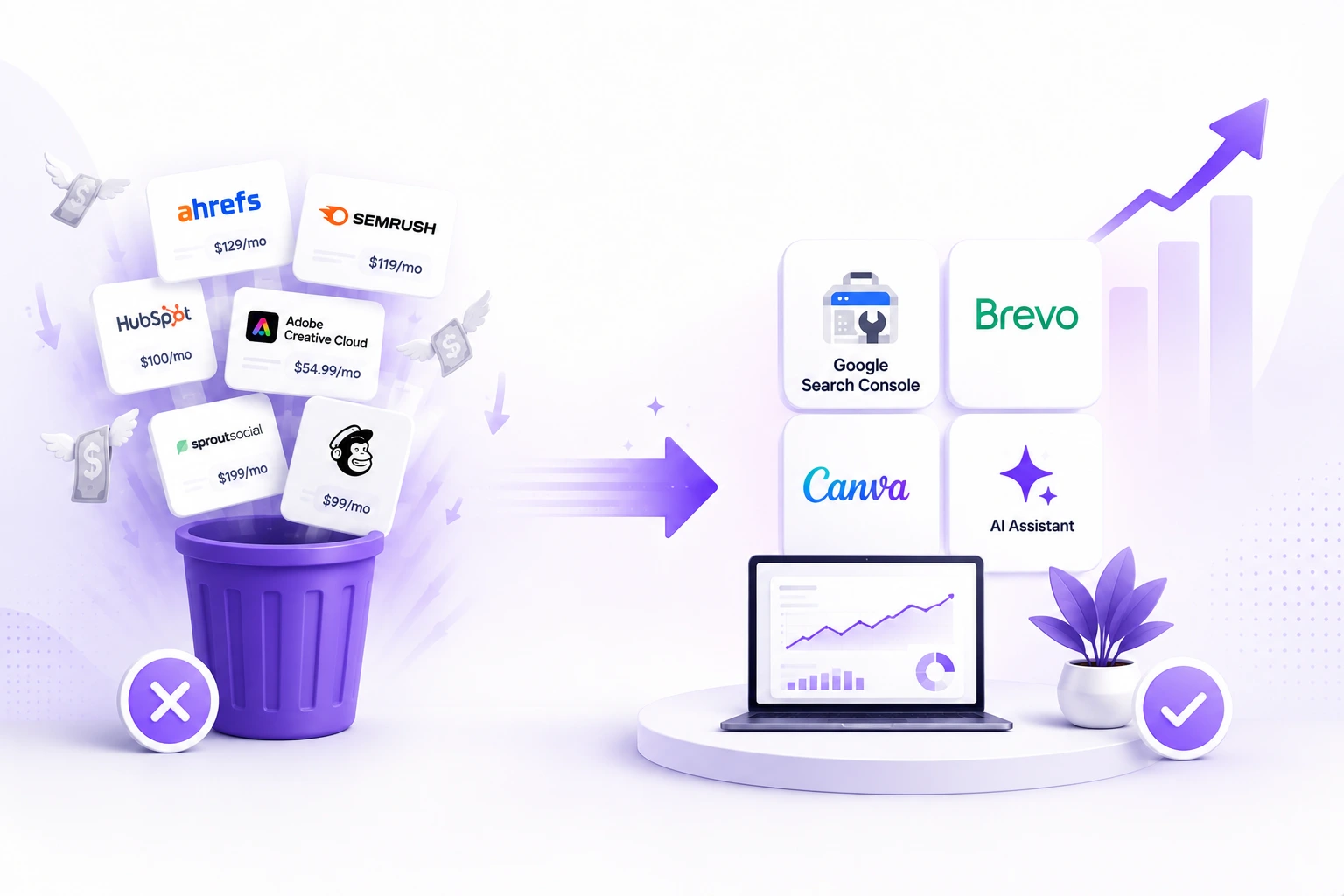
Most beginners spend money on tools before they have a clear picture of whether those tools are solving an actual problem or filling a psychological need to feel professional. The result is a tool stack that looks impressive, costs $300 to $500 a month, and produces results that are indistinguishable from what a free stack would have produced at the same stage.
This is not about being cheap. It is about timing. Expensive tools earn their cost when they save time that is worth more than the subscription, unlock capabilities that directly generate revenue, or replace a specialist you would otherwise have to pay. At the beginning, almost none of those conditions apply. You do not have enough traffic to need enterprise analytics. You do not have enough content to need an advanced editorial calendar. You do not have enough revenue to justify a $139 per month SEO platform when you have not ranked for a single keyword yet.
The Marketing Shelf runs on a lean tool stack. It has since the start. Not because there is no budget, but because the discipline of testing whether a tool earns its cost before subscribing has prevented every unnecessary expense that most beginner content sites accumulate in the first year. This post is the transparent breakdown of what those tools are, what they replace, what they genuinely cost, and the specific moment when upgrading actually makes financial sense.
The Real Cost of a Typical Beginner’s Tool Stack
The typical beginner’s marketing tool stack, assembled from YouTube recommendations and social media ads, runs between $350 and $600 per month before a single dollar of revenue has been generated. Breaking it down makes the problem visible.
What Beginners Typically Pay
A standard entry-level plan for Ahrefs or Semrush runs $129 to $139 per month. An email marketing platform like Mailchimp, once the free tier’s contact limits are hit, costs $30 to $80 per month depending on list size. A social media scheduling tool adds another $18 to $49 per month. A design tool like Canva Pro adds $15 per month. A separate ChatGPT Plus subscription is $20 per month. Add a CRM, a project management tool, and a stock photo subscription and the total is easily $400 per month before the site has a single paying customer.
That $400 per month is $4,800 per year spent on infrastructure for a business that has not yet proven it can generate revenue. The tools are not wrong in isolation. The timing is wrong. Ahrefs at $139 per month is exceptional value when you are managing SEO across 10 client sites. It is a painful monthly reminder of your ambition when you are publishing two posts a week and ranking for zero keywords.
The Trap That Keeps Beginners Paying
The reason beginners keep paying for tools they do not need is a combination of sunk cost psychology and professional identity. Cancelling the Semrush subscription feels like admitting defeat. Keeping it feels like staying serious. Neither feeling has anything to do with whether the tool is generating value.
The honest question to ask about every tool subscription is this: if this tool disappeared tomorrow, would my results change? For most beginners paying for premium SEO platforms, the honest answer is no. They are using Google Search Console, which is free and gives you direct data from Google itself, no paid tool can offer that because only Google has that data. Everything the paid platform adds on top of that is useful eventually. It is not useful now.
The Free Stack That Actually Works for Beginners
The free and low-cost tools available in 2026 are, in many categories, better than what paid tools offered three years ago. This is not a consolation prize. It is genuinely the better starting configuration for a content site or small business in its first year.
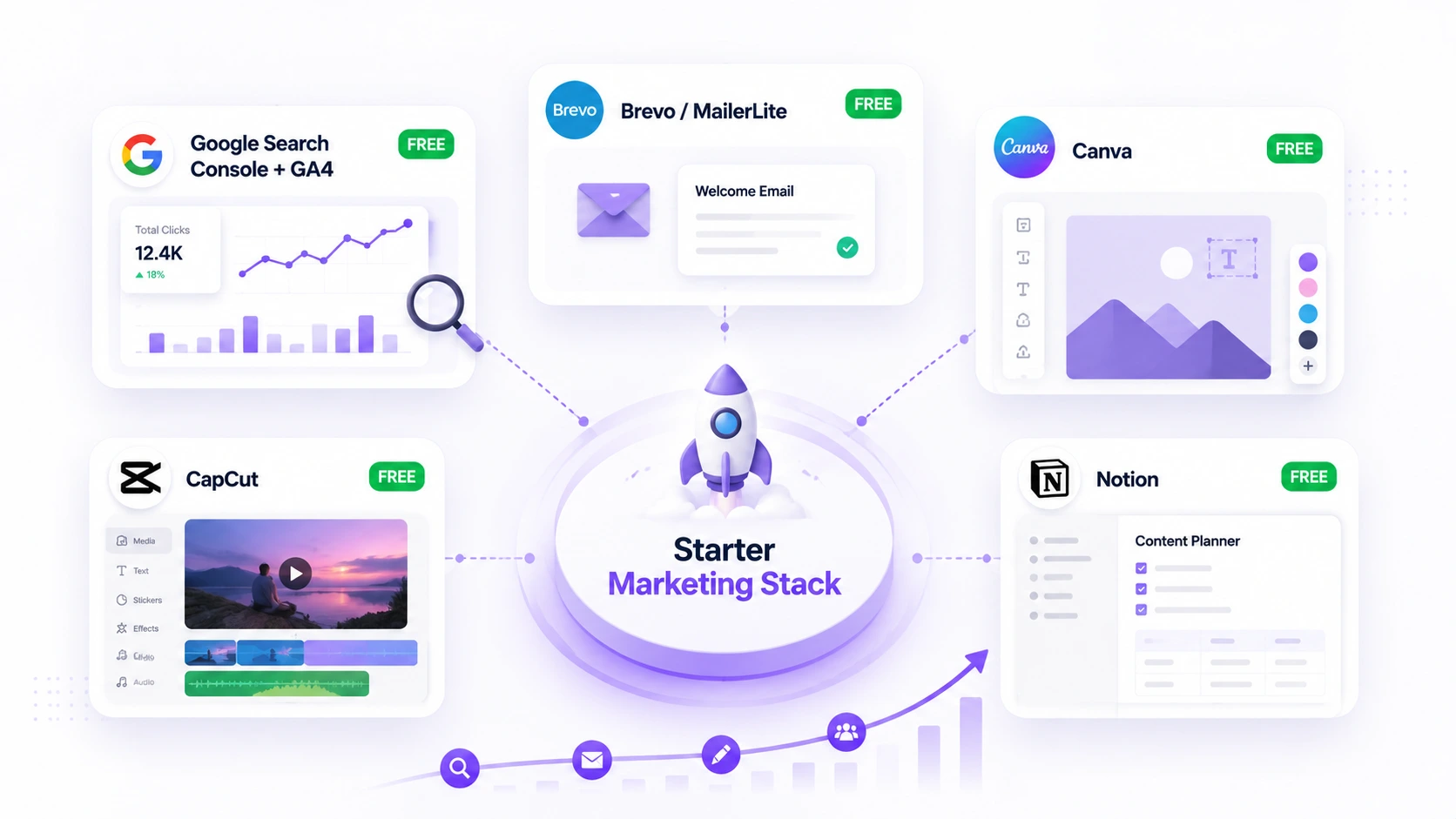
SEO and Analytics – Google Search Console and GA4
Google Search Console is the only tool that shows you exactly what Google thinks of your site. It tells you which keywords you appear for, how often you appear, how often you get clicked, and what technical errors are affecting your indexing. No paid SEO tool has access to this data because only Google has it. GSC is free, maintained by Google, and covers every SEO need a new site has in its first twelve months.
Google Analytics GA4 handles all your traffic analysis, audience data, conversion tracking, and content performance reporting at zero cost. The interface is not as polished as some premium analytics platforms but the data is identical. A beginner who learns GSC and GA4 properly has more marketing intelligence than one who pays for a dashboard on top of data they never learned to read.
The paid SEO platforms earn their cost when you need to analyse competitor backlink profiles at scale, track hundreds of keywords across multiple sites, or run technical audits across a large existing site. At 50 published posts and 99 monthly visitors, none of those use cases apply. Save the $139 per month until the month your organic revenue exceeds $500. Then have the conversation about whether Ahrefs or Semrush earns its seat.
Email Marketing – Brevo or MailerLite
Mailchimp built its reputation on a generous free tier. By 2026, that free tier caps at 500 contacts and removes most automation features. For a new email list, Mailchimp’s free plan is now the worst option in the category.
Brevo gives you unlimited contacts and 300 emails per day on its free plan. That is roughly 9,000 emails per month, enough for a solo operator or a new content site for the entire first year of building a list. Basic automation is included, meaning welcome sequences and drip campaigns work without paying a cent. MailerLite is the other serious contender, with a free plan covering up to 1,000 subscribers and 12,000 monthly sends. Both are more generous than Mailchimp’s 2026 free tier and both have clean interfaces that take under an hour to learn.
The moment to upgrade email marketing is specific: when your list size exceeds the free plan’s limit and your email revenue per subscriber makes the monthly cost obviously justified. Not before.
Design – Canva Free
Canva’s free plan handles social media graphics, blog post featured images, email headers, presentation slides, and basic video editing without a paid subscription. The free plan includes thousands of templates and is used by hundreds of thousands of businesses at every stage of growth, not just beginners.
Canva Pro at $15 per month adds the Brand Kit feature, which stores your colours, fonts, and logo for one-click application across designs, and the Background Remover, which is genuinely useful for product photography. Both are nice to have. Neither is necessary until you are producing enough content that the time saved justifies $15 per month, which for most beginners is around month six or later.
Video – CapCut
CapCut is what a significant percentage of content creators actually use for social video in 2026. It is free for personal and most commercial use, handles subtitles, transitions, and basic effects fluently, and produces output that is indistinguishable from videos edited in tools costing $20 to $30 per month. It runs on desktop and mobile. There is no good reason to pay for a video editing subscription at the beginning when CapCut exists.
Project Management and Notes – Notion Free
Notion’s free plan covers content calendars, research notes, editorial planning, and basic database management for a solo creator or small team. The free plan is limited to a manageable number of blocks rather than the unlimited version in paid plans, but in practice the limit is generous enough that most individual creators never hit it in the first year.
The One Category Where Paying Makes Sense from Day One – AI Tools
AI tools are the exception to the wait-until-you-have-revenue rule. The right AI tool at the right price pays for itself immediately because it replaces the time cost of research, drafting, and editing that would otherwise consume hours every week.
The Problem with Paying for Multiple AI Subscriptions Separately
The instinct is to pay for ChatGPT Plus at $20 per month for one capability, add Claude Pro at $20 per month for another, and then find yourself paying $40 to $60 per month across two or three separate AI subscriptions that you switch between manually throughout the day. The switching cost alone, the time spent moving between tabs and re-establishing context in each conversation, is a real productivity drag that offsets some of the value of having access to multiple models.
The smarter approach is a single dashboard that gives you access to multiple frontier models, GPT-5.2, Claude Opus 4.6, Gemini 3.0, and others, for one monthly subscription that costs less than two separate subscriptions combined. Merlin AI gives you access to all of these from a single Chrome extension and web app at $19 per month, with 102 free daily queries on the free plan before you need to commit to anything.
For a beginner content site, the specific use cases that make this worthwhile immediately are running the same content brief across multiple models to find which one produces the least generic output, using the YouTube summarization feature to research topics from long-form video without watching the entire video, and drafting Gmail replies and LinkedIn content without leaving those platforms. These three use cases alone recover the $19 monthly cost in time saved within the first week for anyone publishing content regularly. Read our detailed Merlin AI review and see if it is right for you.
The AI Tools You Do Not Need Yet
You do not need a dedicated AI SEO platform at $50 to $100 per month that promises to optimize your content for AI search. The structural techniques that get content cited by ChatGPT and Perplexity, answer-first writing, FAQ schema, attributed statistics, and entity completeness, are all things you can implement manually using the knowledge in this blog’s existing content. A $70 per month tool that automates mediocre GEO is not a better investment than learning to apply the principles correctly yourself.
You do not need an AI image generation subscription. The free tiers of Midjourney, Adobe Firefly, and Canva’s AI image tools handle the editorial photography-style images that work best for content blogs. Paying $30 per month for unlimited image generation before you have a visual content workflow that actually uses that volume is another form of tool aspirationalism.
The Transparent Cost Comparison – What to Pay and When
The table below shows the recommended tool stack for a beginner content site, the free alternative, the paid version’s cost, and the specific milestone that justifies upgrading. This is the actual decision framework The Marketing Shelf uses.
| Category | Free Tool | Paid Alternative | Monthly Cost | Upgrade When |
| SEO data | Google Search Console | Ahrefs or Semrush | $29 to $139 | Monthly organic revenue exceeds $500 |
| Traffic analytics | Google Analytics GA4 | None needed | $0 | Never for most solo creators |
| Keyword research | Google Search Console + Ubersuggest free | Ahrefs Keywords Explorer | Included above | Same as above |
| Email marketing | Brevo free or MailerLite free | Brevo Starter | Starts at $9/month | Sending limits are reached or custom branding is needed |
| Design | Canva free | Canva Pro | $15 to $18/month | Producing more than 20 designs per week |
| Video editing | CapCut free | None needed | $0 | Never for most solo creators |
| AI model access | Merlin AI free tier (102 queries/day) | Merlin AI Pro | $19/month | From day one – pays for itself in time saved |
| Social scheduling | Buffer free (3 channels) | Buffer Essentials | $6/month | When posting to more than 3 platforms daily |
| Project management | Notion free | Notion Plus | $12/month | When team exceeds 3 people |
| Stock photos | Unsplash + Pexels free | None needed | $0 | Never – free libraries are sufficient |
What Happens When You Cut the Bloated Stack
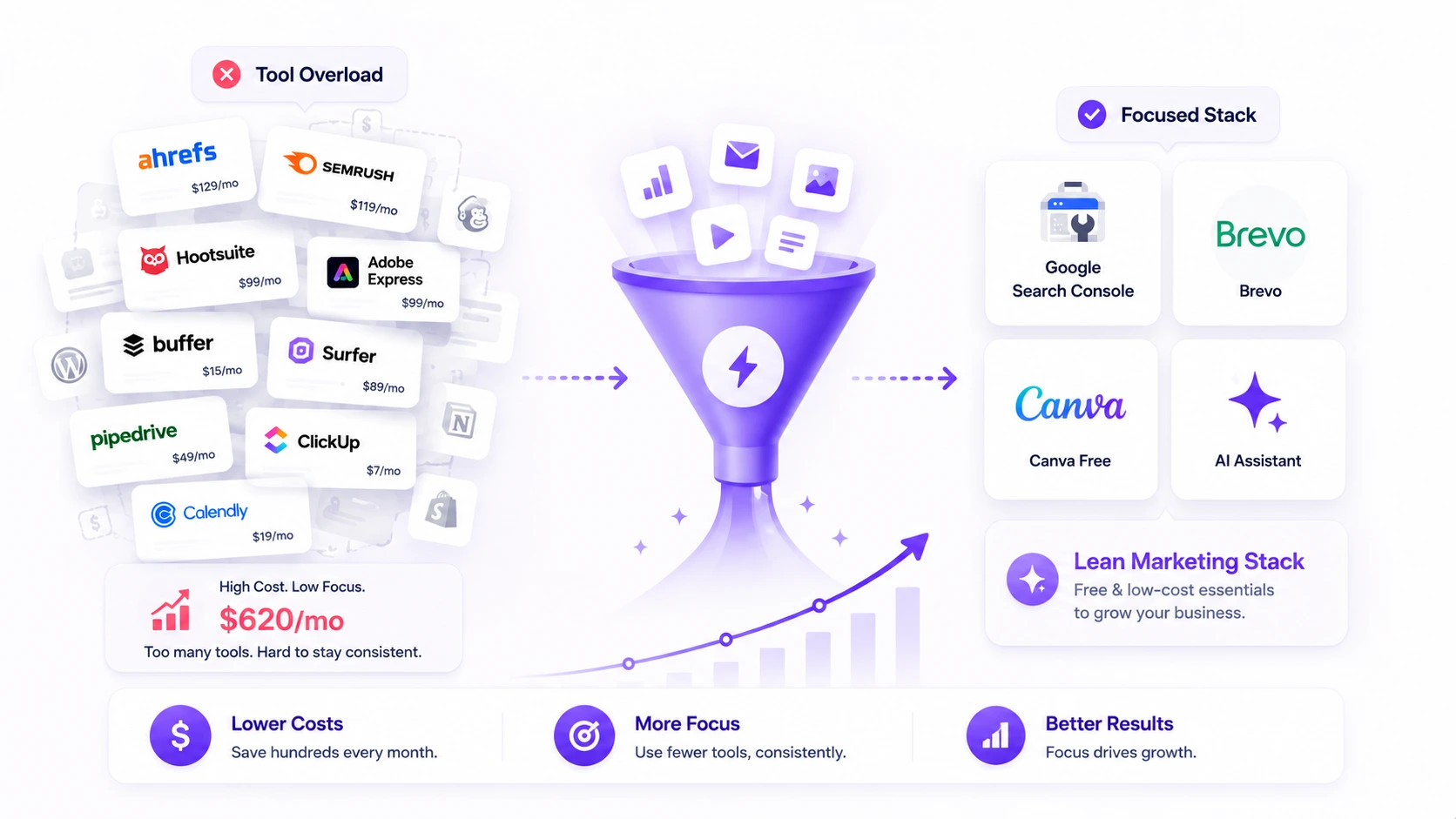
One documented case study from a consultant working with a small business client in early 2026 reduced the client’s tool spend from $620 per month to $89 per month in two weeks. Nothing broke. In fact, with fewer logins to manage, the client started using the tools they kept more consistently, which improved their results.
This is the counterintuitive outcome that most tool subscription conversations ignore: more tools do not produce more marketing results. More consistent use of fewer, better-understood tools does. A beginner who masters Google Search Console, Brevo, Canva free, and one AI model produces better results than a beginner who has ten subscriptions and uses each one sporadically because they never got deep enough into any of them to use them well.
The Time Cost Nobody Mentions
Free tools cost money saved. They also sometimes cost time spent. When one practitioner switched from a paid social scheduling tool to a free one, the monthly saving was genuine. The extra time spent weekly managing the clunkier interface was also real. The honest framing of any free tool adoption is not just “does it save money” but “does it save money after accounting for the time it costs.” For most beginner use cases, the free tools in this guide pass that test. For a few specific high-volume use cases, the paid upgrade earns its cost quickly. Knowing which is which is the judgment call that no tool comparison article can make for you.
The Specific Moment to Start Spending on Tools
The right moment to start building a paid tool stack is the month your content generates its first $200 in revenue. At that point you have proof the business model works, a baseline for what your content is producing, and a clear basis for evaluating whether each tool’s cost is justified by its contribution to that revenue. Before that moment, every paid subscription is a bet that the revenue will come. Some bets pay off. Most do not.
Spend nothing until you have to. Spend only what directly connects to a revenue outcome once you do. Everything else is aspirational spending that keeps the tool industry profitable at your expense.
The Tools That Are Worth Every Penny When the Time Comes
This post is not arguing against paying for tools. It is arguing against paying for tools before they are necessary. When the time comes, specific tools earn their cost so clearly that the subscription feels like an obvious business decision rather than an aspirational expense.
Ahrefs or Semrush – Worth It When You Have a Real SEO Problem to Solve
At $129 to $139 per month, Ahrefs and Semrush are genuinely exceptional for competitive keyword gap analysis, backlink opportunity identification, and tracking rankings across a large content library. The value is real. The timing is the issue. When you are managing 200 published posts and trying to identify which ones have the fastest path to the top 3 for their target keywords, Ahrefs earns its cost in hours. When you are publishing your seventh post on a ten-post site, it does not.
ConvertKit or Klaviyo – Worth It for Specific Use Cases
ConvertKit and Klaviyo earn their cost when advanced email automation is producing measurable revenue directly. A welcome sequence that converts new subscribers into affiliate buyers at a documented rate, multiplied by the revenue per conversion, quickly justifies $30 to $50 per month for the platform. The calculation is specific: what does each new email subscriber generate in revenue over 30 days? When the answer to that question is clear and positive, upgrading the platform is an obvious business decision.
CONCLUSION:
The marketing tool industry is very good at making beginners feel like the right software is what stands between them and success. It is not. The right content, published consistently, reaching the right audience, earns revenue. Tools support that process. They do not substitute for it.
Start with Google Search Console and GA4 for SEO and analytics. Start with Brevo or MailerLite for email. Start with Canva free and CapCut for creative. Consider Merlin AI Pro at $19 per month from day one because the time it saves on content production pays for itself faster than any other tool in this list. Everything else waits until the revenue exists to justify it.
The discipline of running a lean tool stack in the early stage is not deprivation. It is the practice of knowing what your content business actually needs versus what you feel like it should need to look legitimate. Legitimate comes from results. Results come from execution. Execution does not require $400 per month in software before the first dollar arrives.
Cut the stack. Master fewer tools. Publish more consistently. The tools can grow with the revenue.
FAQs
Q: Do beginners need to pay for SEO tools like Ahrefs or Semrush?
A: No. Beginners do not need paid SEO tools. Google Search Console gives you direct data from Google itself about exactly which keywords you appear for, how often you appear, and how often you get clicked. No paid tool has access to this data because only Google has it. Ahrefs and Semrush at $129 to $139 per month earn their cost when you are managing SEO across multiple sites or a large content library with 100 or more posts. The right time to upgrade is when your monthly organic revenue consistently exceeds $500 and you have a specific competitive research or rank tracking problem that the free tools cannot solve.
Q: What is the best free email marketing tool for beginners in 2026?
A: Brevo is the best free email marketing option for most beginners in 2026. Its free plan gives you unlimited contacts and 300 emails per day, around 9,000 per month, with basic automation included. This is significantly more generous than Mailchimp’s 2026 free tier, which caps at 500 contacts and removes most automation features. MailerLite is the second strongest option at free up to 1,000 subscribers and 12,000 monthly sends. Both provide enough capacity for a new content site to build and engage an email list through the entire first year without paying anything.
Q: How much should a beginner spend on marketing tools per month?
A: A beginner content site or small business can run a complete, professional marketing operation for under $25 per month in 2026. The recommended lean stack uses Google Search Console and GA4 for SEO and analytics at no cost, Brevo or MailerLite free for email marketing, Canva free for design, CapCut free for video, and Notion free for project management. The one early investment worth making is an AI model access tool like Merlin AI at $19 per month, which replaces multiple separate AI subscriptions and pays for itself in time saved within the first week of consistent use.
Q: When should a beginner upgrade to paid marketing tools?
A: The right moment to start building a paid tool stack is when your content generates its first $200 in consistent monthly revenue. Before that point, every paid subscription is a bet on future revenue rather than a return on existing revenue. The specific triggers for each major upgrade are: SEO platform when monthly organic revenue exceeds $500, email platform upgrade when your list exceeds the free tier’s limit and email revenue per subscriber justifies the cost, and Canva Pro when you are producing more than 20 designs per week and the Brand Kit feature would meaningfully reduce production time.
Q: Is Canva Pro worth it for a beginner content creator?
A: Canva Pro at $15 per month is not necessary for most beginner content creators. The free plan includes thousands of templates and handles all the design needs of a new blog or small business including social media graphics, featured images, email headers, and presentation slides. Canva Pro adds the Brand Kit feature for one-click brand consistency and the Background Remover for product photography. Both are genuinely useful features but neither is required until you are producing enough content that the time saved justifies $15 per month, which for most beginners is around month six or later in the content creation journey.